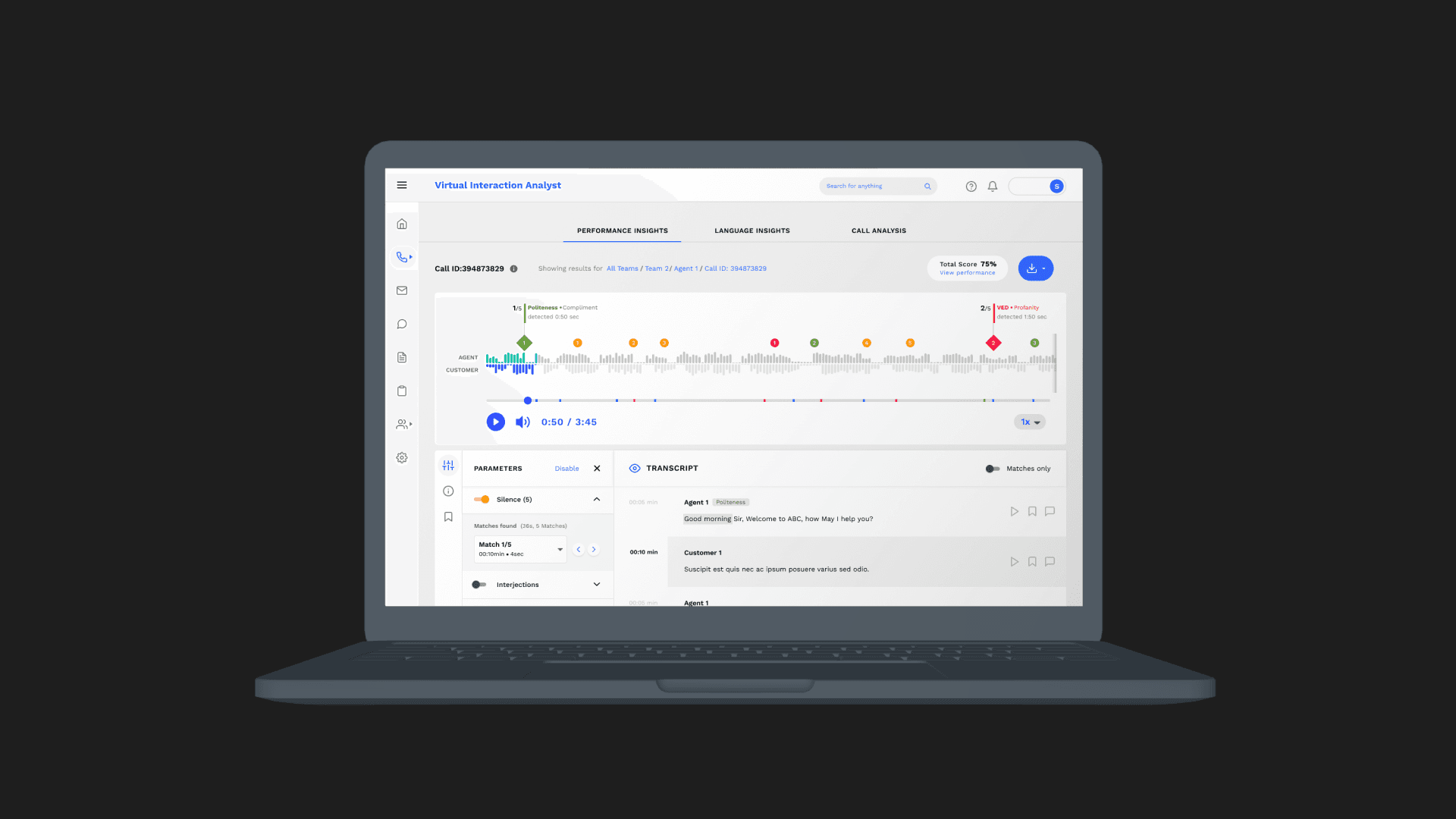
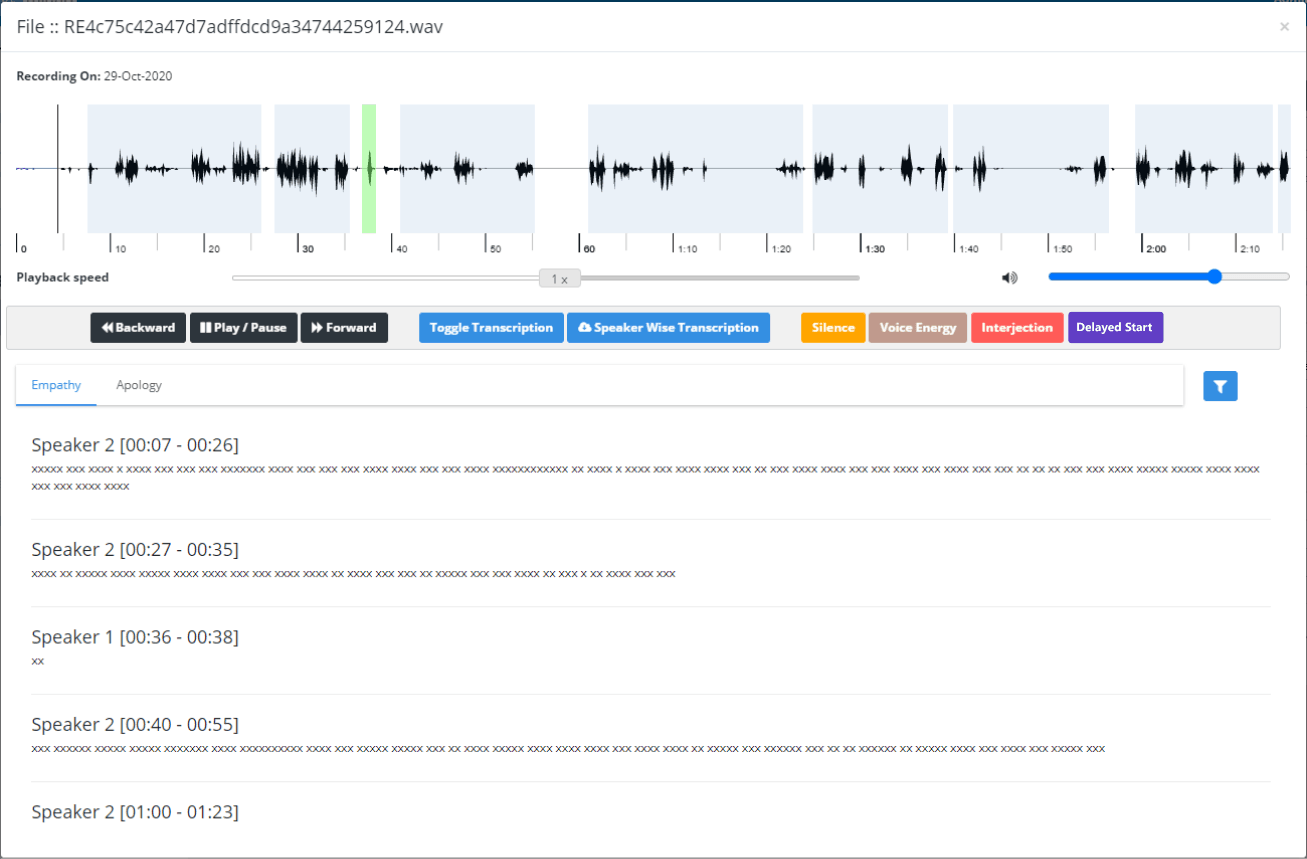
Audio player for call center analytics
Industry
SaaS
Org
Mihup
Role
Senior Product Designer
Team members
N/A
Used by popular Indian startups across BFSI, E-commerce, EdTech, Automotive, FMCG, and Last-Mile sectors. The platform supported improvements in CSAT and escalation reduction, contributing to outcomes such as a 50% boost in operational efficiency, a 25% increase in CSAT, and a 42% improvement in compliance management.
My Role
Senior Product Designer responsible for UX strategy, UX writing, Interaction design, and component architecture for the audio player, working closely with PMs, engineers, and data teams to design scalable workflows under production constraints.
Problem
Contact center QA teams review hundreds of long customer calls every week to evaluate agent performance, compliance, and customer sentiment. The existing audio analysis experience made this process slow and cognitively heavy.
Key challenges included:
Fragmented playback, transcription, and annotations
Difficulty navigating long calls efficiently
High cognitive load due to frequent context switching
Limited visibility into key moments within a call
As a result, quality analysis took longer than necessary and important insights were often missed.
Context & Constraints
The product served enterprise contact centers with high call volumes
Calls ranged from 5 minutes to over an hour
Backend transcription and analytics logic were already in production
Redesign had to work within existing data pipelines
The solution needed to scale across different customer configurations
These constraints meant the focus was on improving interaction patterns and information access, not rebuilding the underlying voice processing system.
Users & Goals
Primary Users
QA Analysts reviewing calls for quality, compliance, and coaching
Team Leads scanning insights for performance trends
User Goals
Navigate long calls quickly
Identify key moments without replaying entire recordings
Reduce effort spent switching between tools
Capture insights efficiently during review
Insights
Analysts frequently replayed the same segment multiple times to capture context
Important moments were often missed due to lack of visual cues
Switching between playback, transcription, and notes broke focus
Speed controls and keyboard shortcuts were more valuable than visual polish
Analysts wanted to stay “in the flow” while reviewing calls
These insights shaped every design decision that followed.
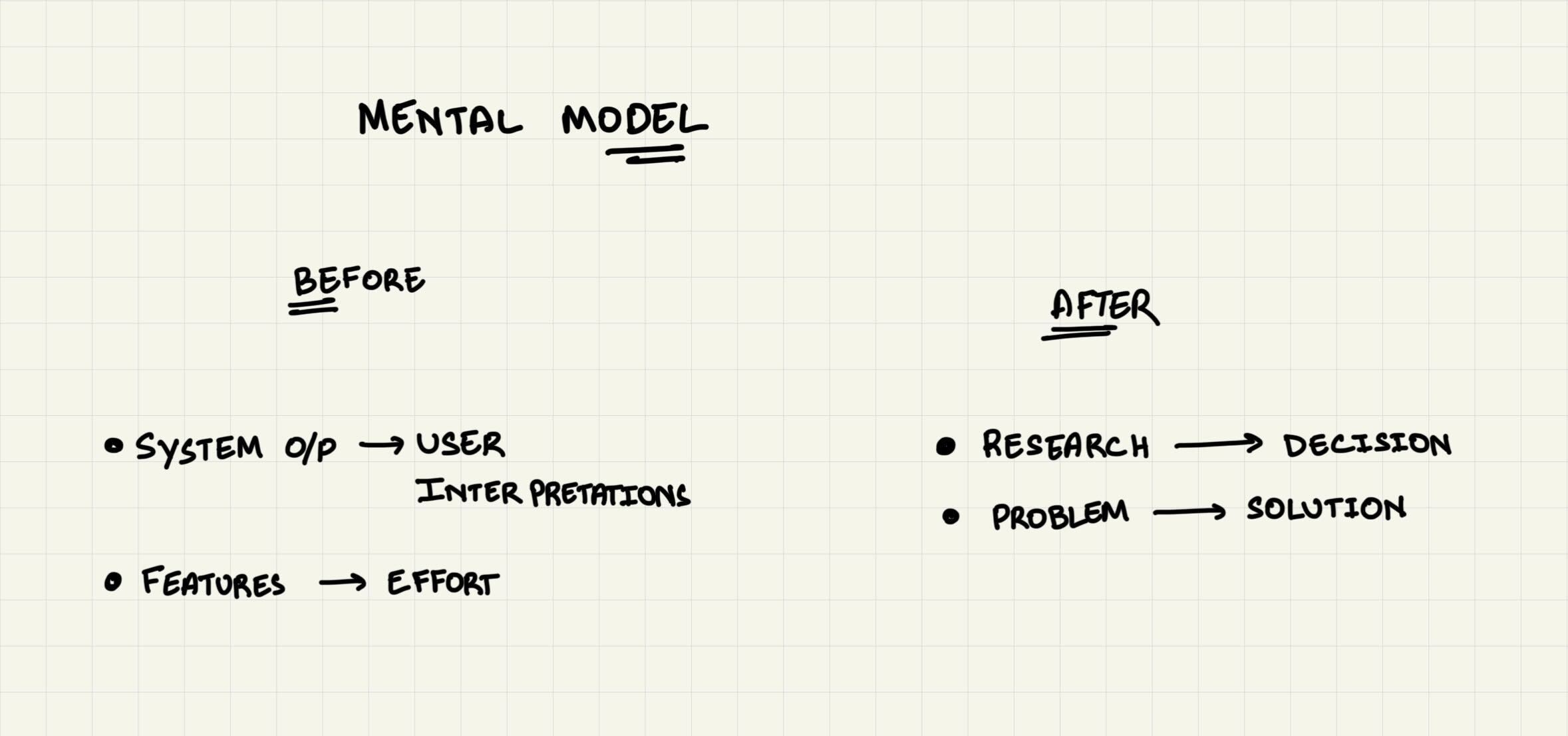
// Mental Model Shift: The earlier experience forced analysts to interpret raw system output. The redesigned player reframed the experience around decision-making.
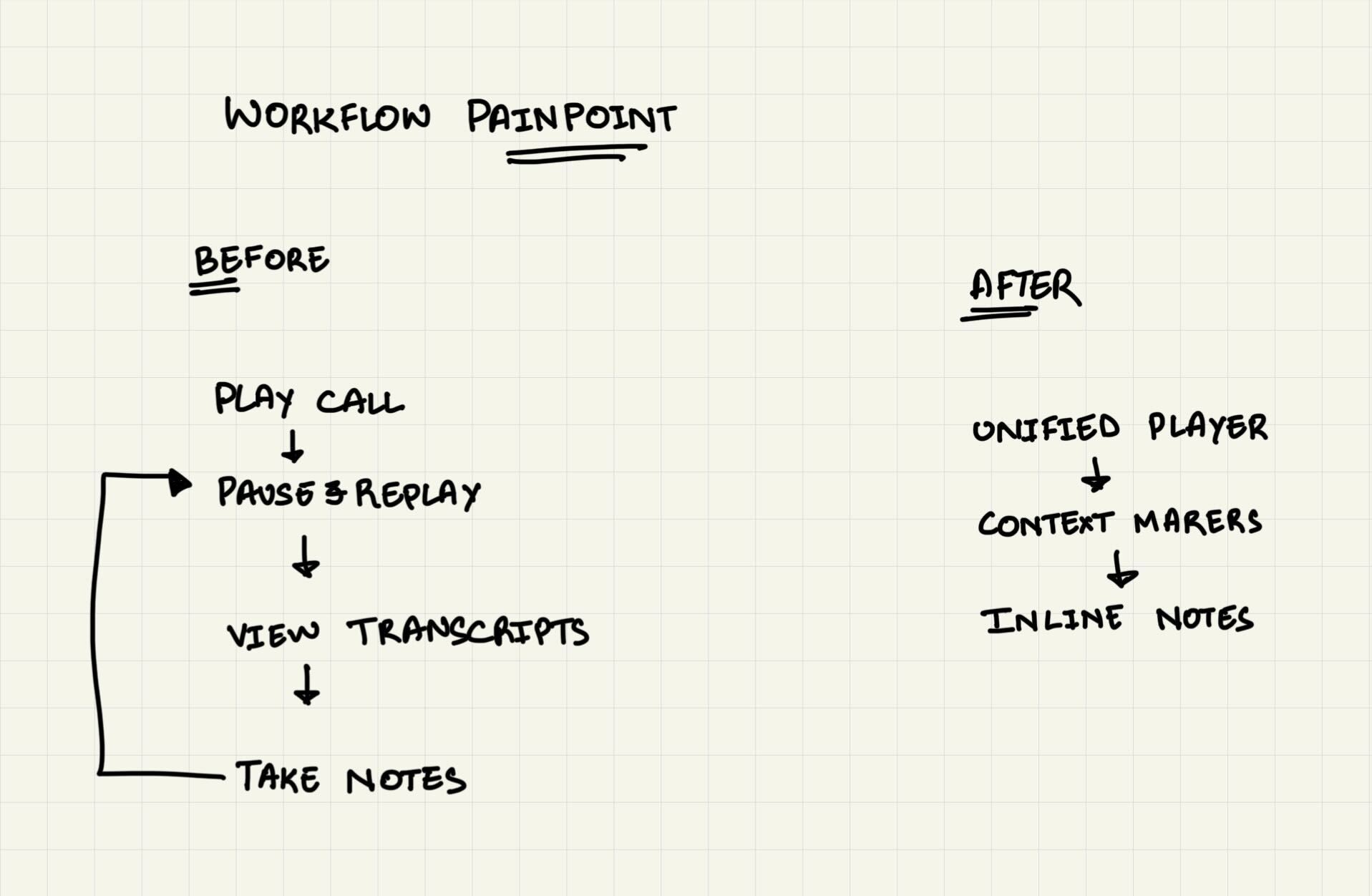
// Workflow Breakdown (Before vs After): Before the redesign, analysis required repetitive loops and context switching. The new workflow reduced steps and preserved analyst focus.
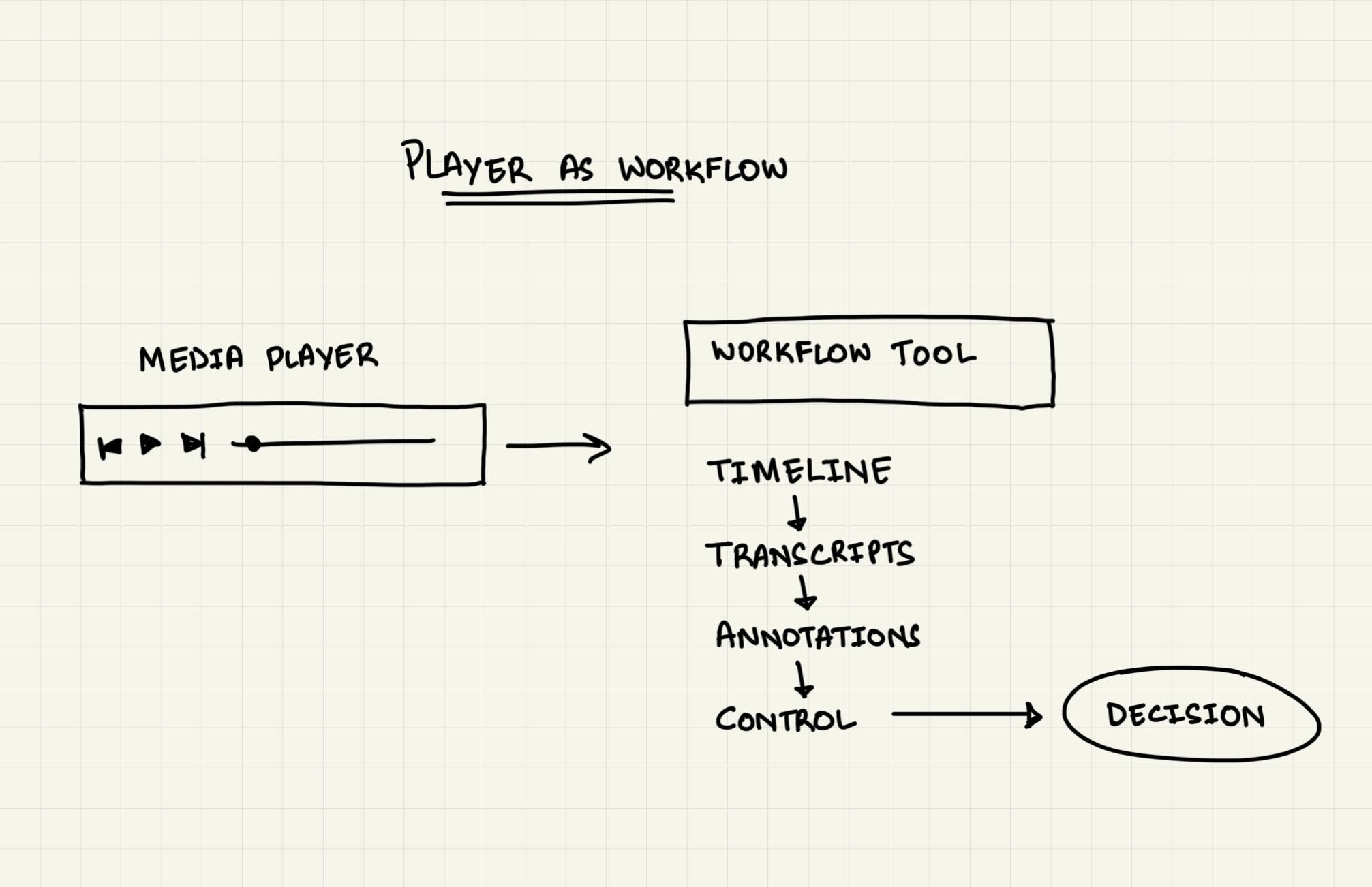
// Reframing the Audio Player: Instead of treating playback as a passive control, the player was designed as an active workflow tool that guided decisions.
Design Strategy
The solution focused on three principles:
Reduce cognitive load during long call reviews
Surface context at the right moment, without interrupting playback
Design for speed and scale, not one-off interactions
This meant treating the audio player as a workflow tool, not just a media component.
Key Design Decision
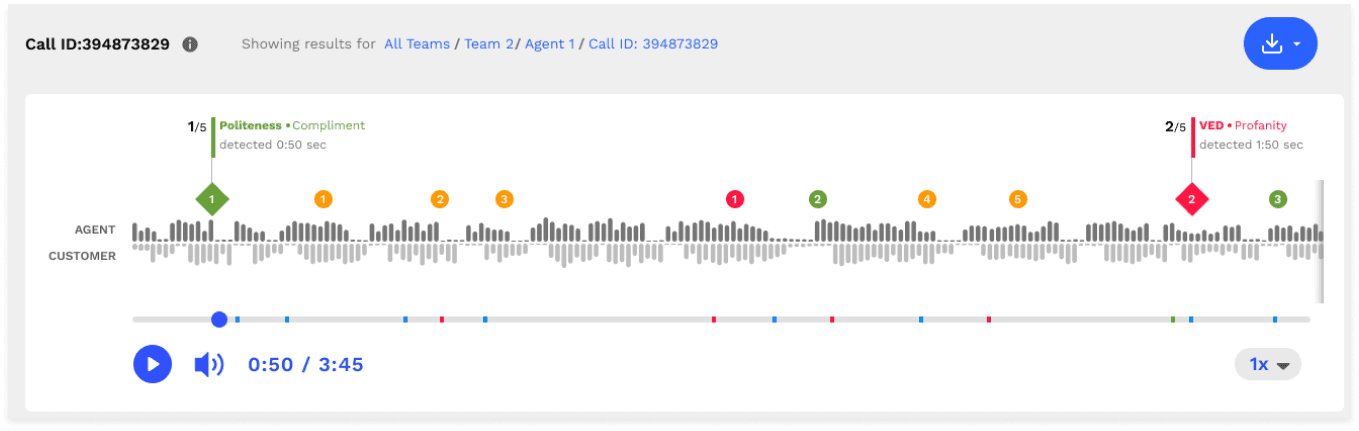
Decision 1: Visual Timeline with Context Markers
Why:
To help users identify important moments at a glance.
Tradeoff:
Added visual density, but significantly reduced replay time.
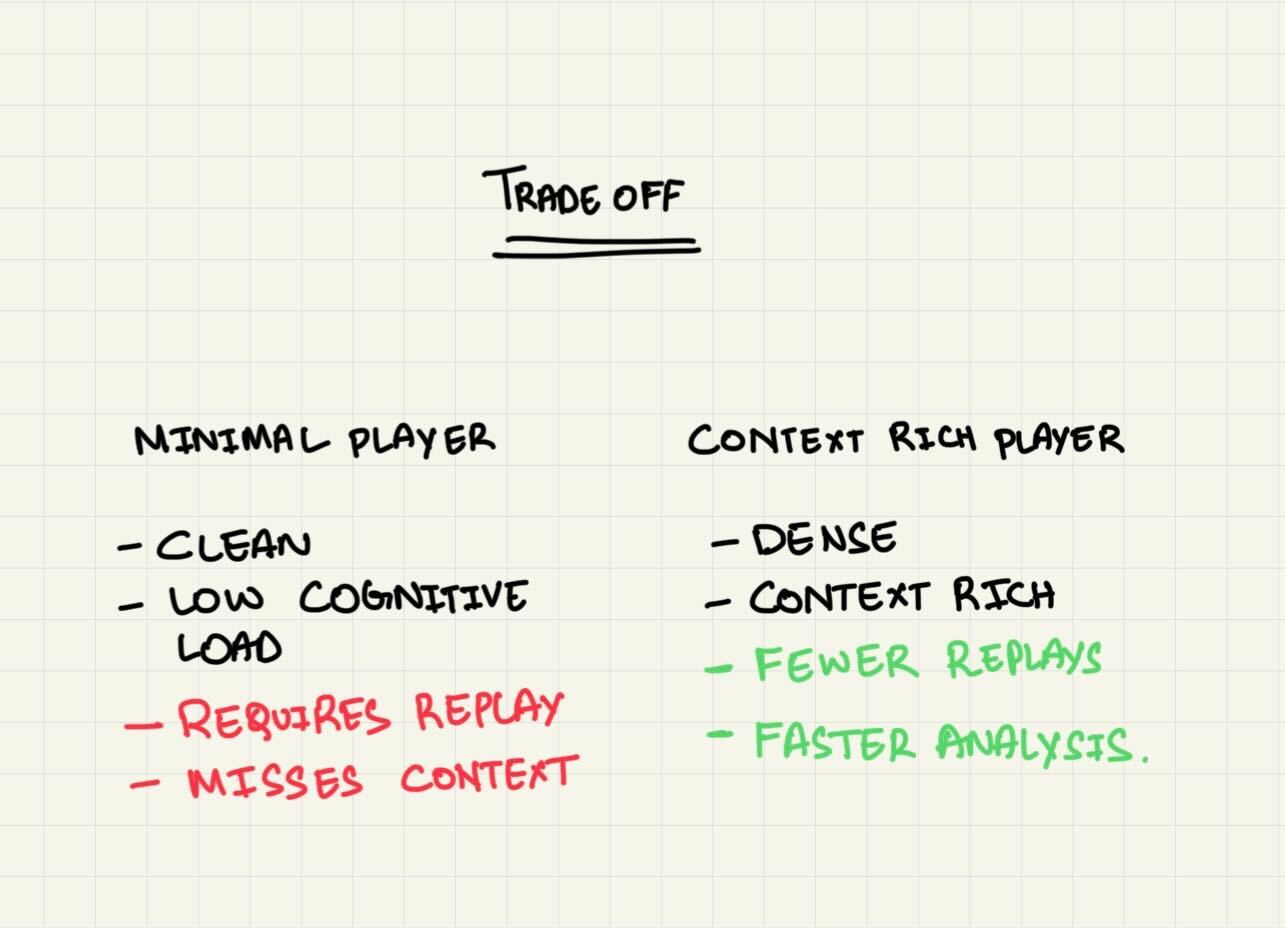
// Design Trade-offs: Chose contextual density over minimalism to reduce replays and improve analysis speed.
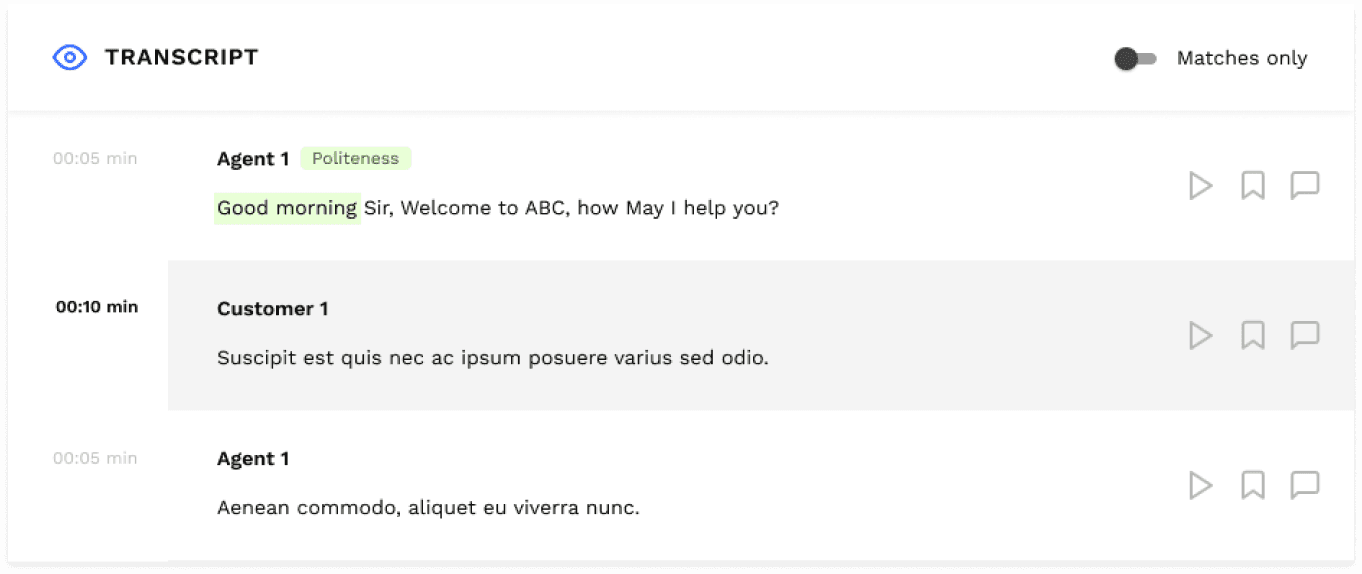
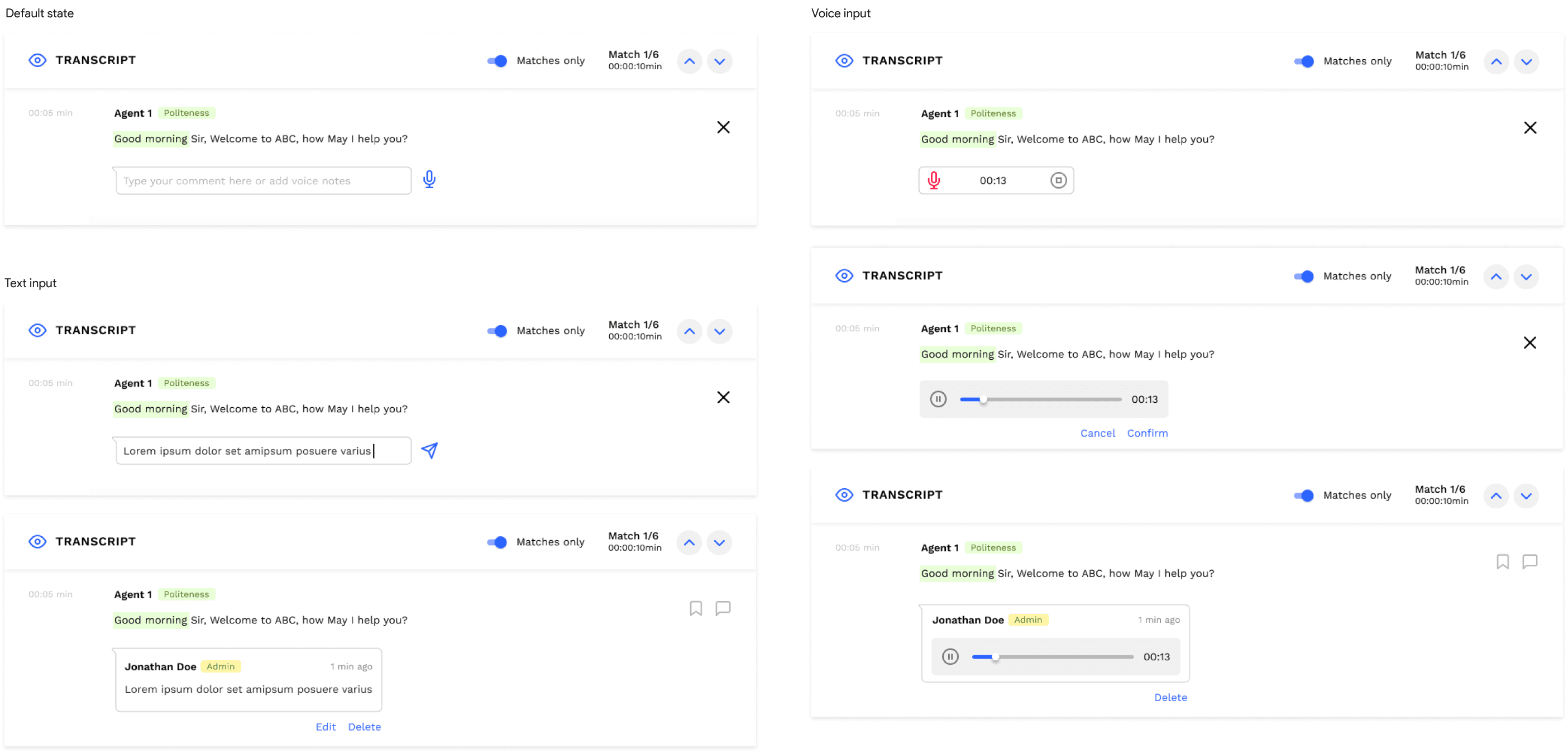
Decision 2: Contextual Layering to Reduce Cognitive Load
Why:
To eliminate context switching between tools.
Tradeoff:
Required careful hierarchy to avoid overwhelming users.
Decision 3: Persistent Controls & Shortcut
Why:
Power users valued speed over discoverability.
Tradeoff:
New users required brief onboarding.
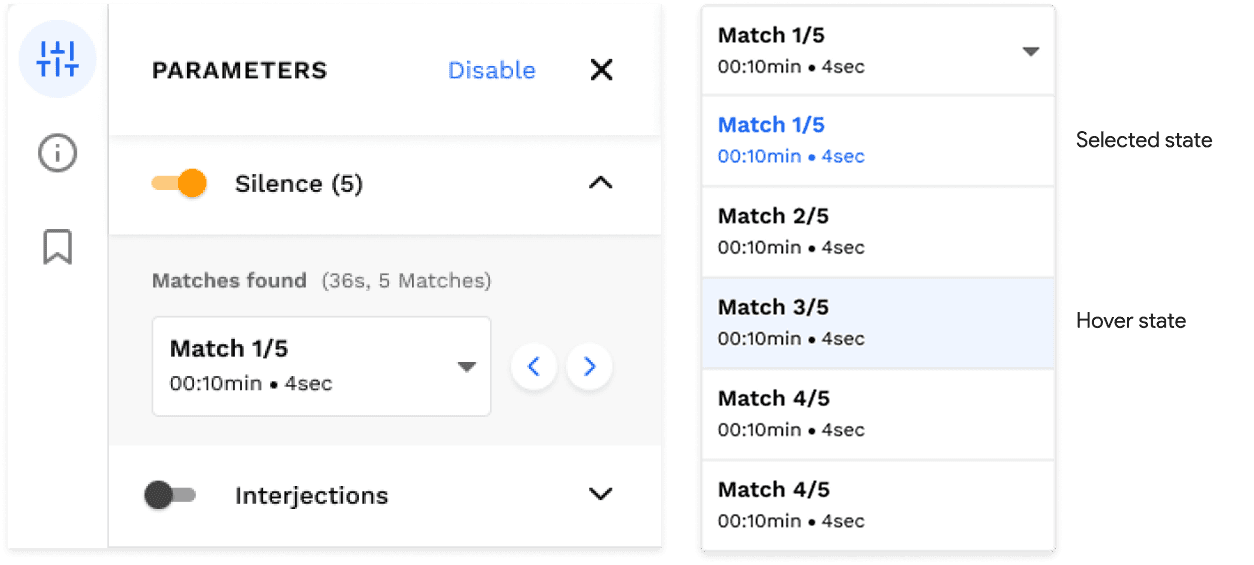
Decision 4: Modular Component Architecture
Why:
To support future features like parameter markers and highlights.
Tradeoff:
Increased upfront design complexity.
Solution Overview
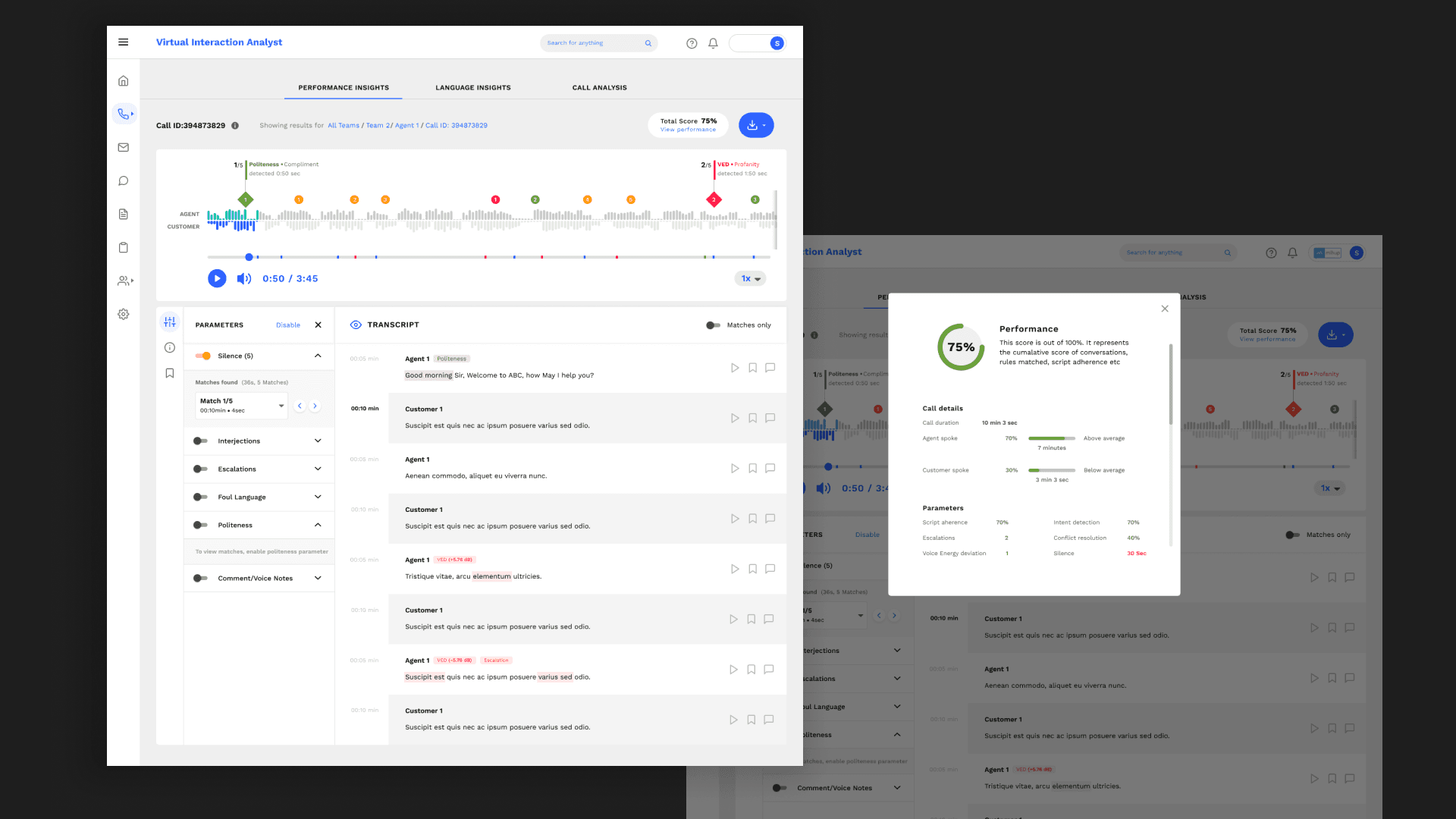
Unified playback, transcription, and annotations in a single workspace
Introduced a navigable timeline with contextual markers
Enabled quick navigation between segments
Designed components to adapt across different customer setups
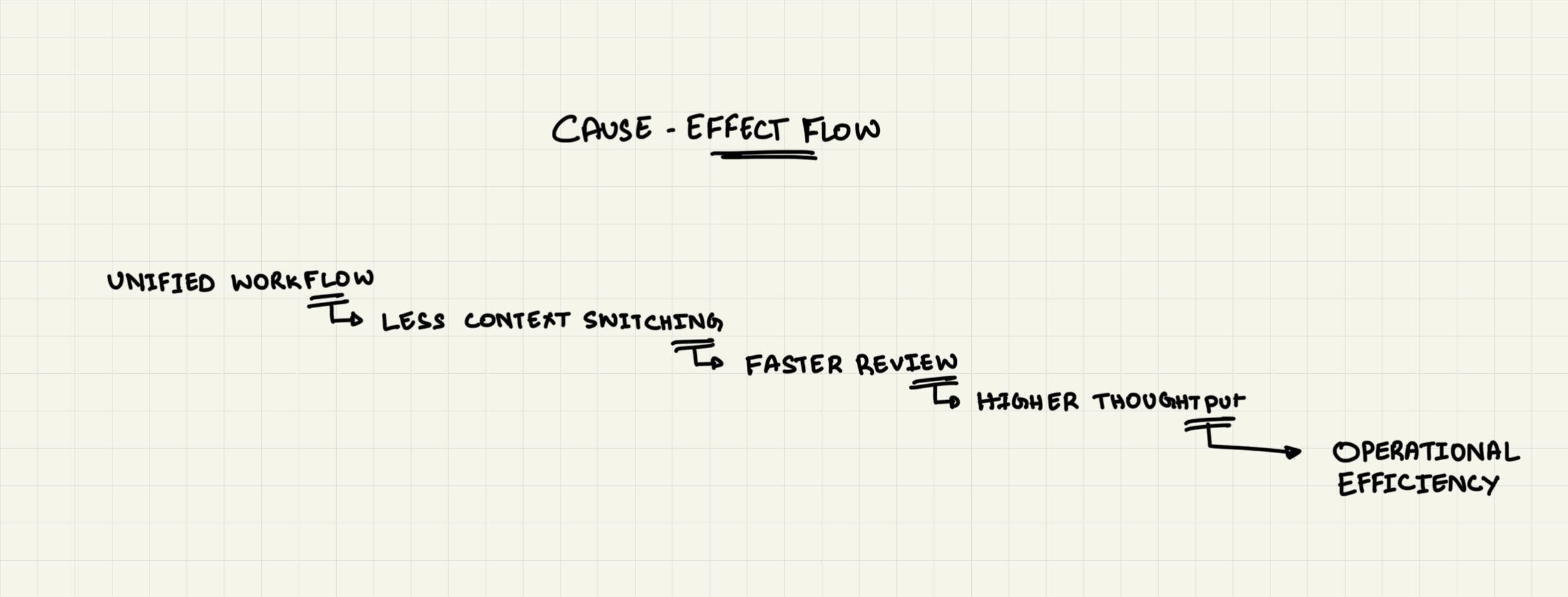
// How Design Decisions Translated to Impact: Small interaction changes compounded into measurable operational gains.
Metrics Moved
Impact at a glance
• Enabled end-to-end analysis of 100% call volume.
• Supported improvements in CSAT (25% improvement), operational efficiency (50% increase), and compliance management (42% increase)
• Adopted across BFSI, EdTech, E-commerce, and Automotive customers
These results were influenced by multiple factors, including workflow improvements, adoption, and operational practices. The redesigned audio player played a key role in enabling faster, more focused call reviews.
Learnings & Reflection
Designing for enterprise workflows requires prioritizing speed over aesthetics
Small interaction improvements can unlock large efficiency gains
System-level thinking matters more than isolated UI screens
If revisited, I would further explore adaptive shortcuts based on user behavior